Drums
Preset Parallel Drum Crush
A crushed parallel layer under the loop. ENERGY raises the grit and the grain; the dry path keeps the attacks.
13X COLONYCOLOR & MOVEMENT PROCESSOR
Add warmth, width, space and movement to drums, keys, bass and loops — six effects in one plugin, moved together by one ENERGY knob.
Warmth, width and movement for drums, keys and bass — six effects on one knob.
macOS · Windows · Linux · no account, no license key
Out nowFreeVST3 · AU · Standalone
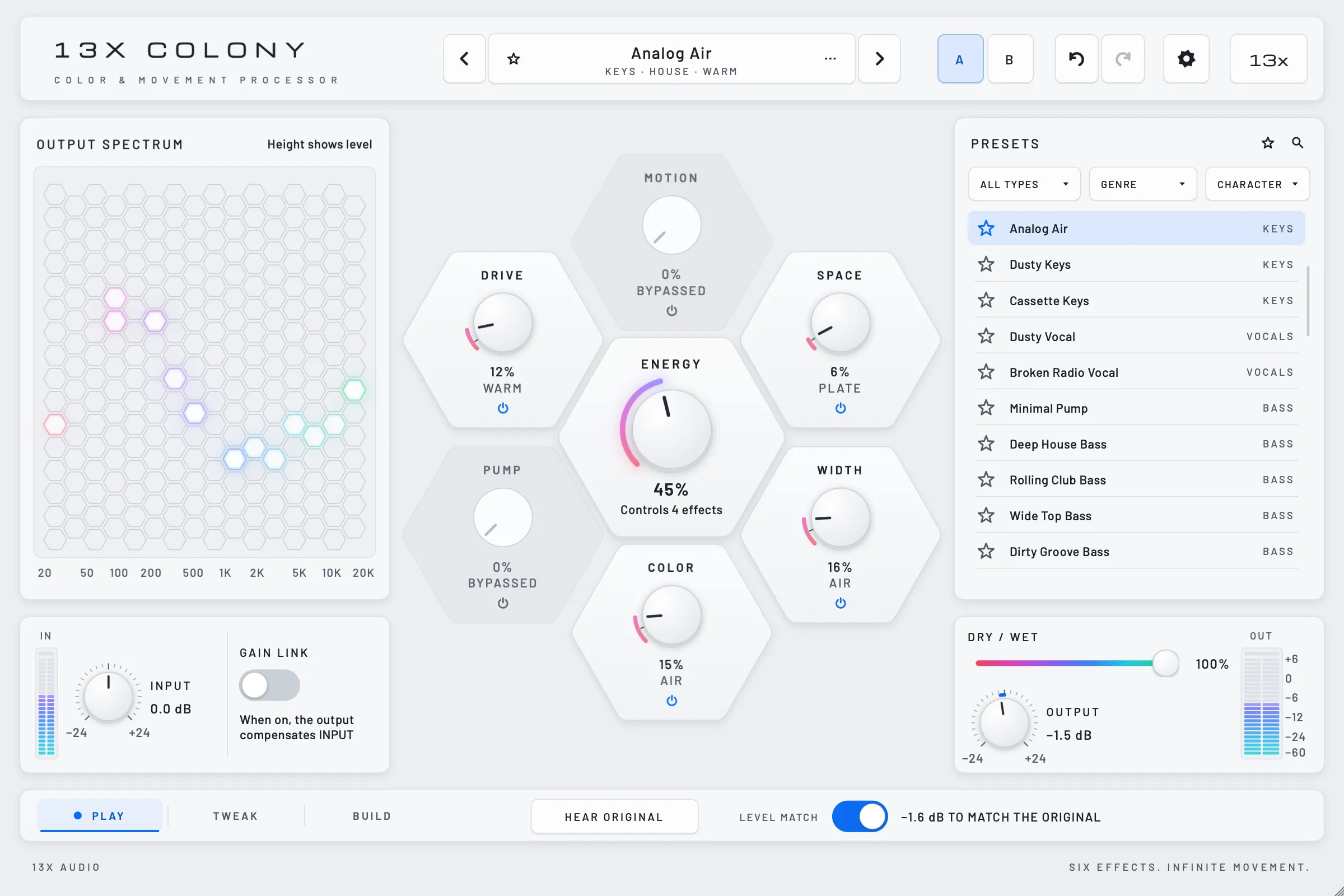
The plugin's real interface, lifted into 3D. Colony is software, not hardware.
13x Colony with the preset Analog Air: ENERGY at 45 %, DRIVE, SPACE, WIDTH and COLOR active, MOTION and PUMP bypassed
The product demo: six effects, one ENERGY knob, 1:23 minutes. Sound on.
The video plays from YouTube (privacy-enhanced mode) once you press play. Until then nothing loads from YouTube. Privacy
Three loops, each through a factory preset. Switch while it plays: the original, then Colony at ENERGY 0 and at 100. A fourth loop compares PUMP on the grid with PUMP on the kick. Afterwards every file was brought to the same integrated loudness, which helps reduce loudness bias when you compare.
Preset Parallel Drum Crush
A crushed parallel layer under the loop. ENERGY raises the grit and the grain; the dry path keeps the attacks.
Preset Dreamy Chords
Chords that drift: slow filter motion, chorus width and a long Dream tail. ENERGY opens all of it at once.
Preset Dirty Groove Bass
A hard-clipped garage bass with a step filter and a swung pump. ENERGY pushes the drive, the filter and the pump together.
Preset Minimal Pump
A held pad and sub under a broken 2-step beat. On the grid, PUMP ducks on every beat, kick or not. On the kick, it ducks with each hit, the off-grid ones included.
Synthesised test loops, 4 bars at 120 BPM, no samples. Rendered offline by the development build 123eb38 with the plugin's defaults, Level Match on. Afterwards each file got one fixed gain to -18 LUFS integrated — an offline normalisation, separate from the plugin's dynamic Level Match — and was encoded as AAC 160 kbps. In the Pump loop only the pad runs through Colony; the beat is mixed in afterwards, unprocessed, and its kick also feeds the sidechain. Colony isn't out yet; its sound can still change before release.
Real captures of the preset Breakdown Bloom. As ENERGY rises, DRIVE and PUMP step back while SPACE, WIDTH and COLOR open up — every Cell along its own range, set in BUILD.
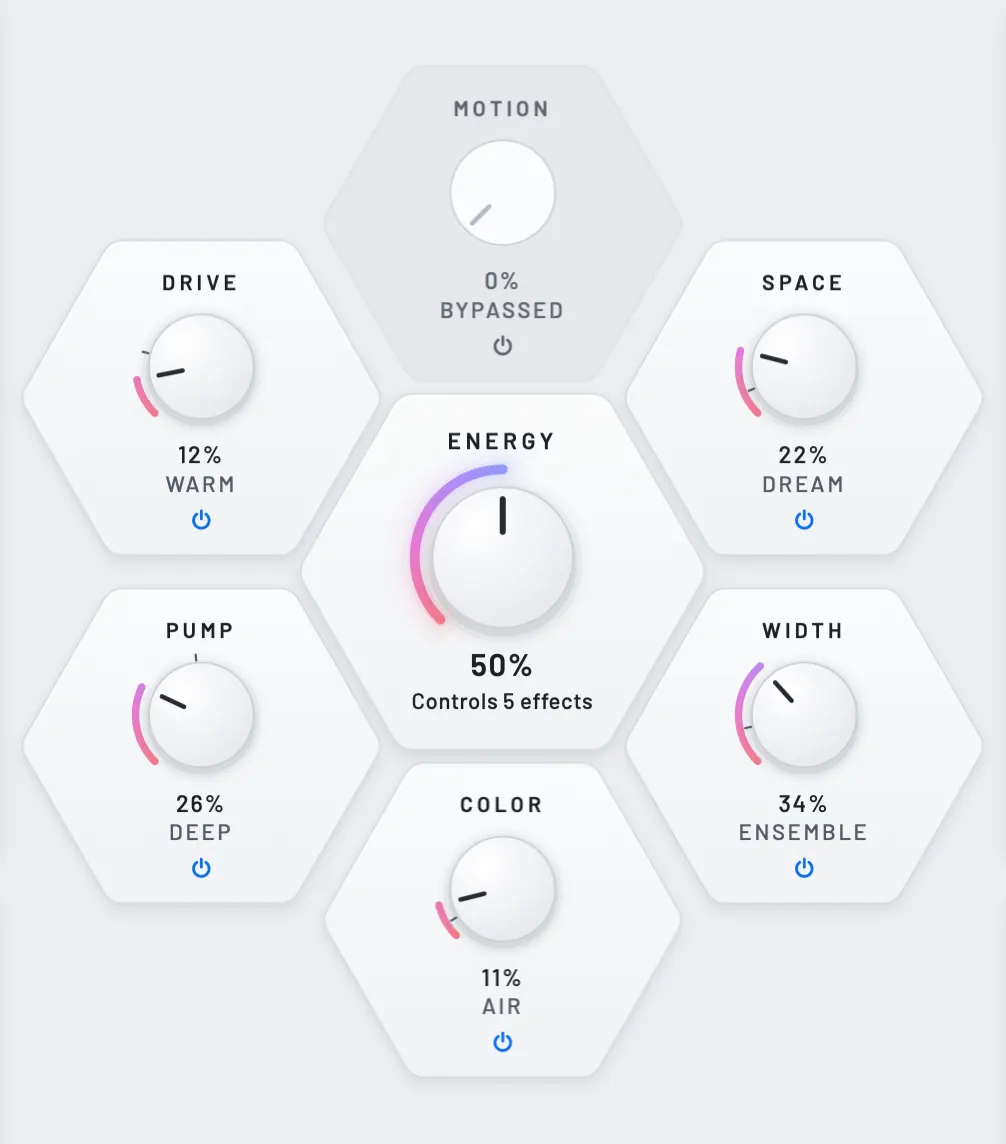
The pale band is each Cell's range from ENERGY 0 to 100.
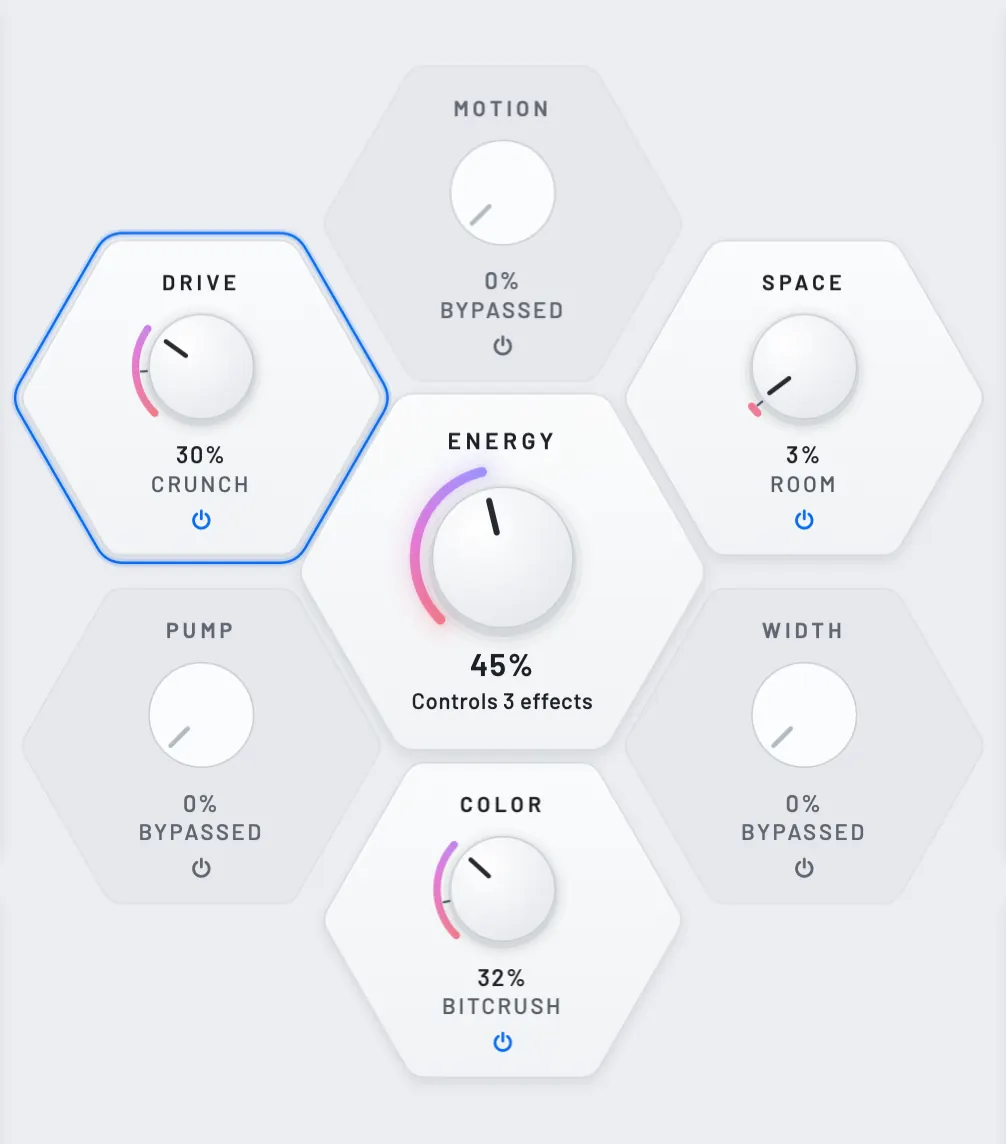
Pick a Cell for its types, its editor and a preset that uses it.
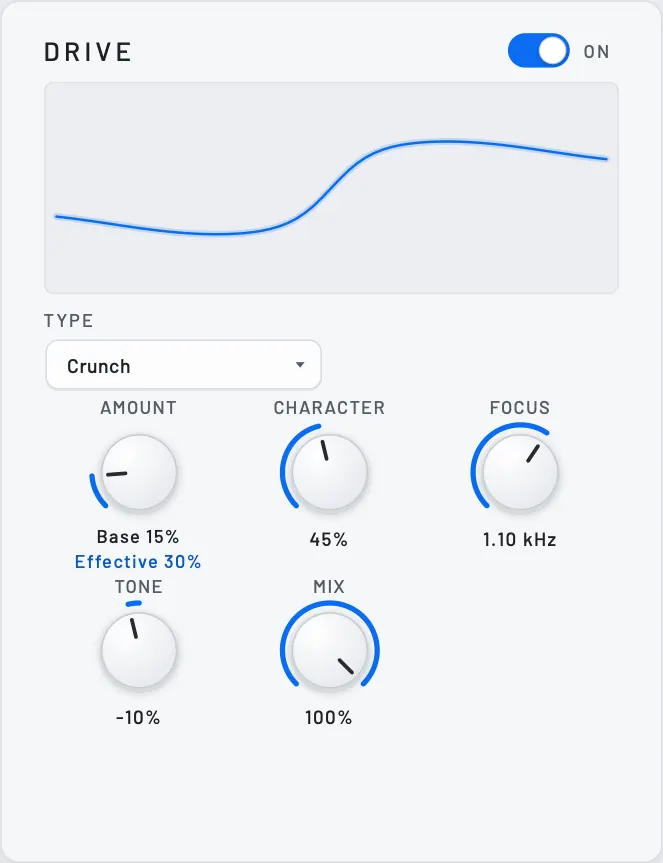
Saturation, from warm to broken.
Five types from Warm and Analog Tube to Hard Clip and Crunch, with character, focus and tone. 2× oversampling by default.
Shown with Parallel Drum Crush
PLAY for playing, TWEAK for every control, BUILD for how far each Cell travels. The honeycomb stays in the middle in all three.
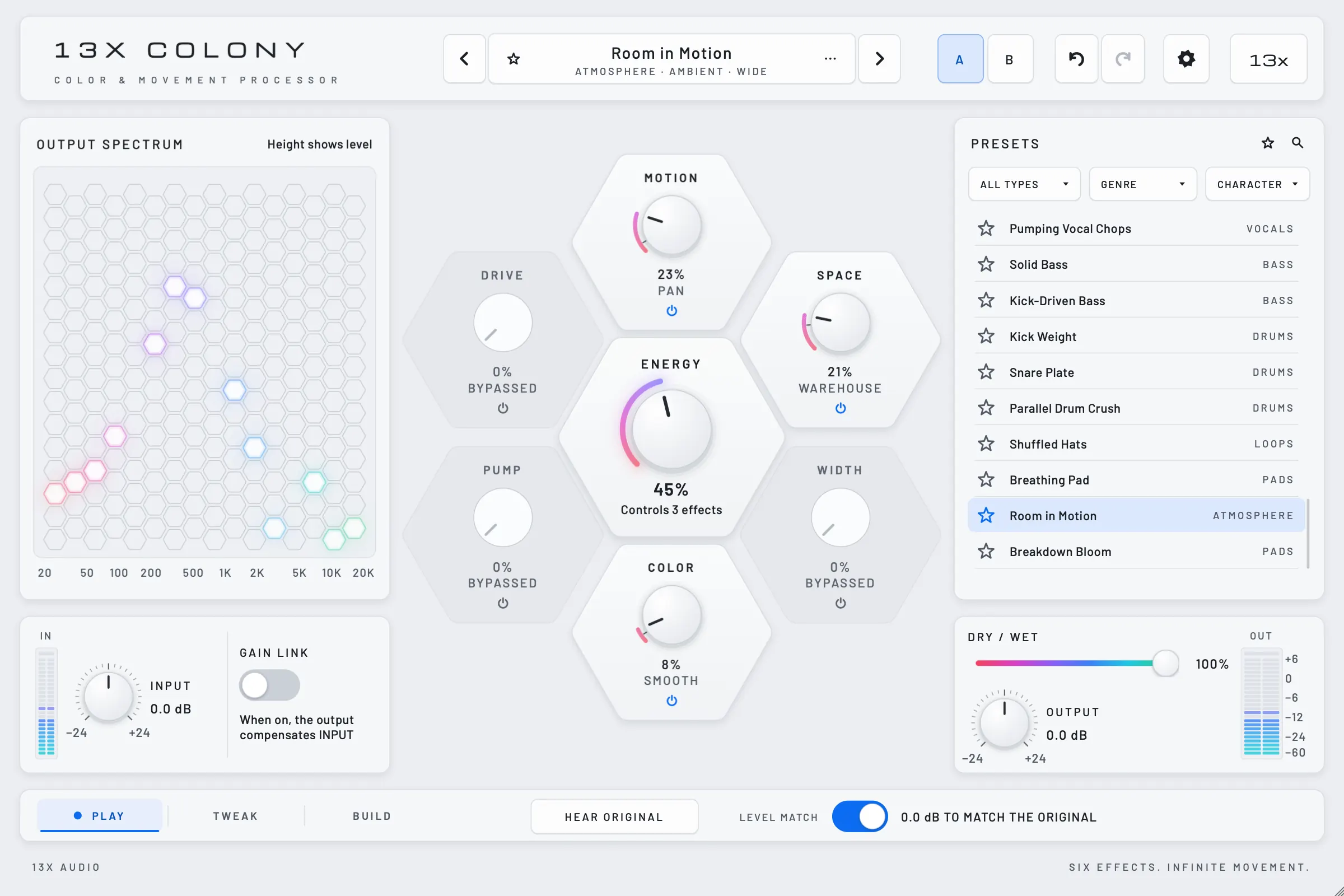
Beside the presets, the output spectrum shows each frequency band as a column; the lit cell's height is its level. Hear Original switches to the latency-aligned input; Level Match, on by default, slowly trims the output toward the input's loudness, which helps reduce loudness bias when you compare.
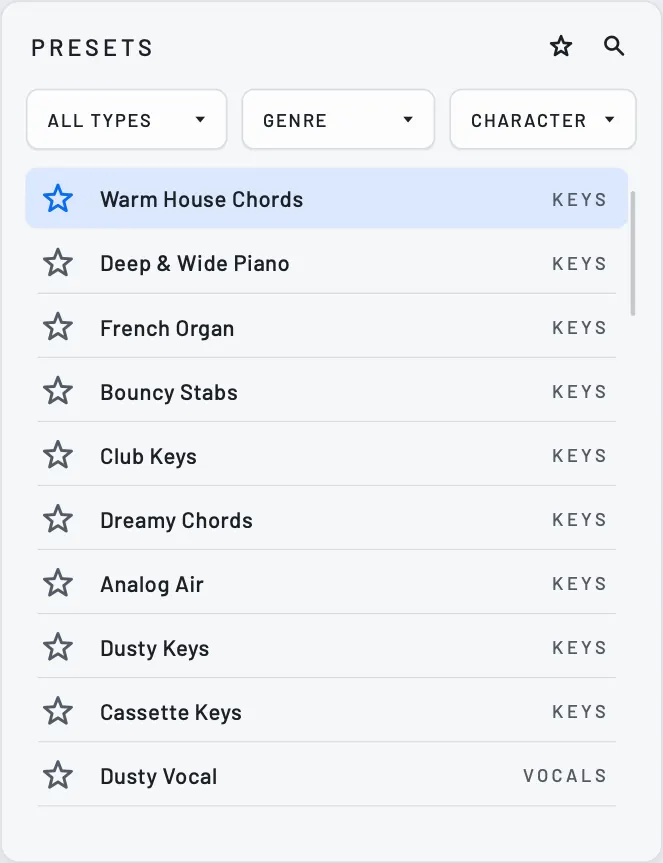
Filter by type, genre and character, keep favourites, and export or import packs. CHARACTER → Signature narrows the bank to 22: 12 contrasting treatments and 10 Experimental ones, which CHARACTER → Experimental also shows on their own.
Free for macOS, Windows and Linux. Every build passed our tests and plug-in validation.
Version 1.0.0 · free · no account, no license key
macOS 11 or later · Apple silicon and Intel
VST3, Audio Unit and a standalone app
Download for macOSColony-1.0.0-macOS.zip · 39 MB
Copy Colony.vst3 to /Library/Audio/Plug-Ins/VST3 and Colony.component to /Library/Audio/Plug-Ins/Components.
f834ff0d6ff3cffe383dc283bcf96229a3af447a5f96d7f1a6a7f91512b71540Windows 10 or 11, 64-bit
VST3 and a standalone app
Download for WindowsColony-1.0.0-Windows.zip · 17 MB
Copy the Colony.vst3 folder to C:\Program Files\Common Files\VST3. If SmartScreen asks about the standalone app: More info › Run anyway.
1a67ce0ecdcb3165c685a319370fc1b3d32712fa7fa4a3486d265468c653d7c7x86_64 with glibc 2.35 or later: Ubuntu 22.04, Debian 12, Fedora 36 and newer
VST3 and a standalone app
Download for LinuxColony-1.0.0-Linux.tar.gz · 16 MB
Run sh install.sh, or copy Colony.vst3 to ~/.vst3. The standalone app runs from the folder.
3fdf1d816d3153cf21b792fe80365c44932b158db3cca49e97912c030aaa68afAlso free: AURORA, our dynamic EQ. See AURORA
Yes — COLONY 1.0 is out, free for macOS, Windows and Linux, from the download section of this page. No account, no license key.
Yes. Colony is free, like AURORA — no account, no license key, no catch.
macOS, Windows and Linux, as VST3 and Standalone, plus AU on macOS.
No. The download needs no email and no account. If you like, leave your address after the download to hear about new free plugins and COLONY updates — nothing else, and every email has a link to leave.
No. Colony is a plugin. The 3D view at the top of this page is its real interface, built from the plugin's own UI layers and lifted into 3D — every label, value and colour on it comes from the plugin.
It is on by default and slowly trims Colony's output toward the loudness of the incoming signal — gated, weighted RMS over about two seconds, at most ±12 dB, before Safe Output — which helps reduce loudness bias in comparisons. While it is on, level changes from INPUT are matched too; OUTPUT comes after the match, so it stays exactly where you set it, on both sides of the comparison. It is not an integrated LUFS measurement, and not a guarantee of equal perceived loudness on every source. The listening examples on this page were rendered with it on and then normalised offline to -18 LUFS integrated — one fixed gain per file, a separate step.
Mix blends the processed and the original signal. ENERGY moves each Cell along its own range — some up, some down — as set in BUILD. Dry / Wet is a separate control.


