COLONY 2.0 · free update
Eleven Cells. ENERGY that plays itself.
Five new Cells and any Cell in any place, ENERGY that follows your track or steps through a sequence, morphs, drops and modulation on almost any knob, and a new preset bank. Your 1.x projects and presets keep working.
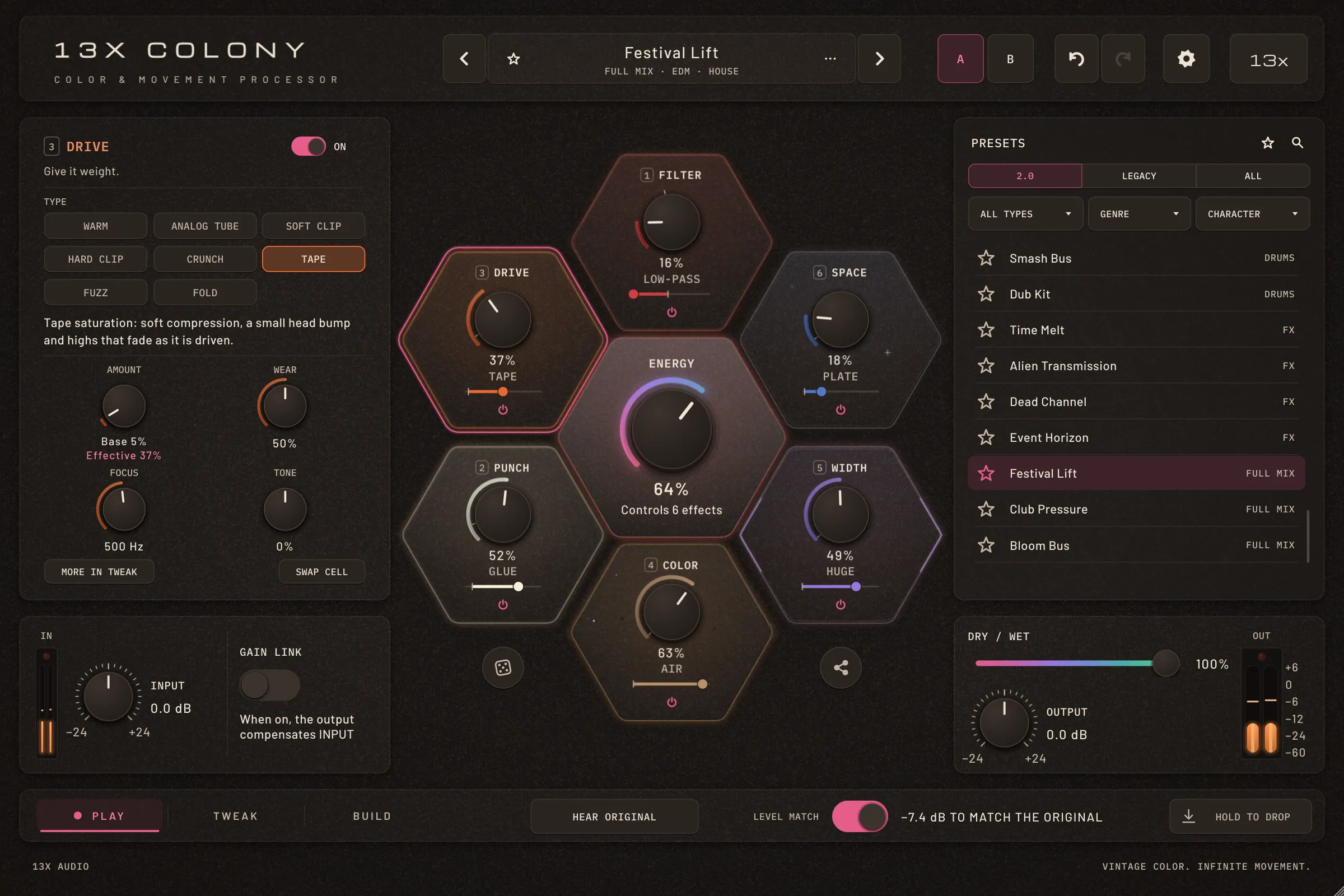
Cells
Eleven Cells. Any Cell in any place.
GLITCH (Tape Stop, Stutter, Reverse, Buffer Repeat, Gate), ECHO (Digital, Tape, Ping-Pong, Dub), PUNCH (Transient, Glue, Smash), PITCH (Shift, Octave Up and Down, Fifth, Detune) and FILTER (Low-Pass, High-Pass, Band-Pass, Notch, Resonator) join the six. The honeycomb still has six places; each can play any of the eleven, each Cell once.
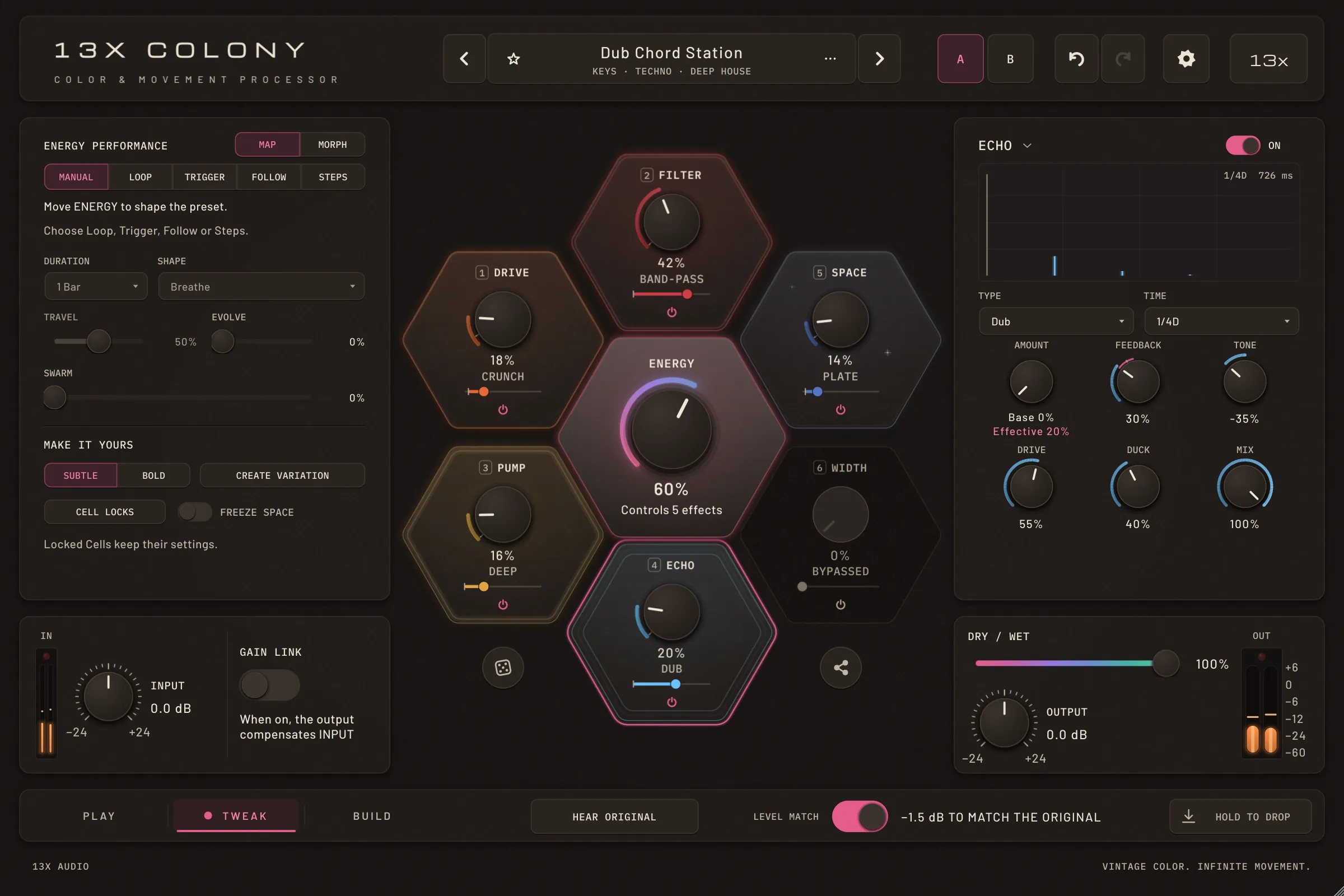
How to
Swap a Cell
- Right-click a Cell and open Swap cell — or press SWAP CELL in PLAY, or the arrow after the Cell's name in TWEAK.
- Pick a Cell that isn't playing: it takes the place, and the one leaving keeps all its settings.
- Or pick one under Trade places with: the two Cells swap places.
Tip: A swap is one undo step and never clicks. The host can automate it too: Cell at Drive … Cell at Color.
Types
New types for the six you know.
DRIVE: Tape, Fuzz and Fold, and 8× oversampling. COLOR: Telephone, Vowel and Comb. MOTION: Phaser, Flanger and Ring. WIDTH: Haas, Dimension and Mono Bass. SPACE: Shimmer, a long tail that climbs an octave on every pass. The 1.x types sound exactly as before.
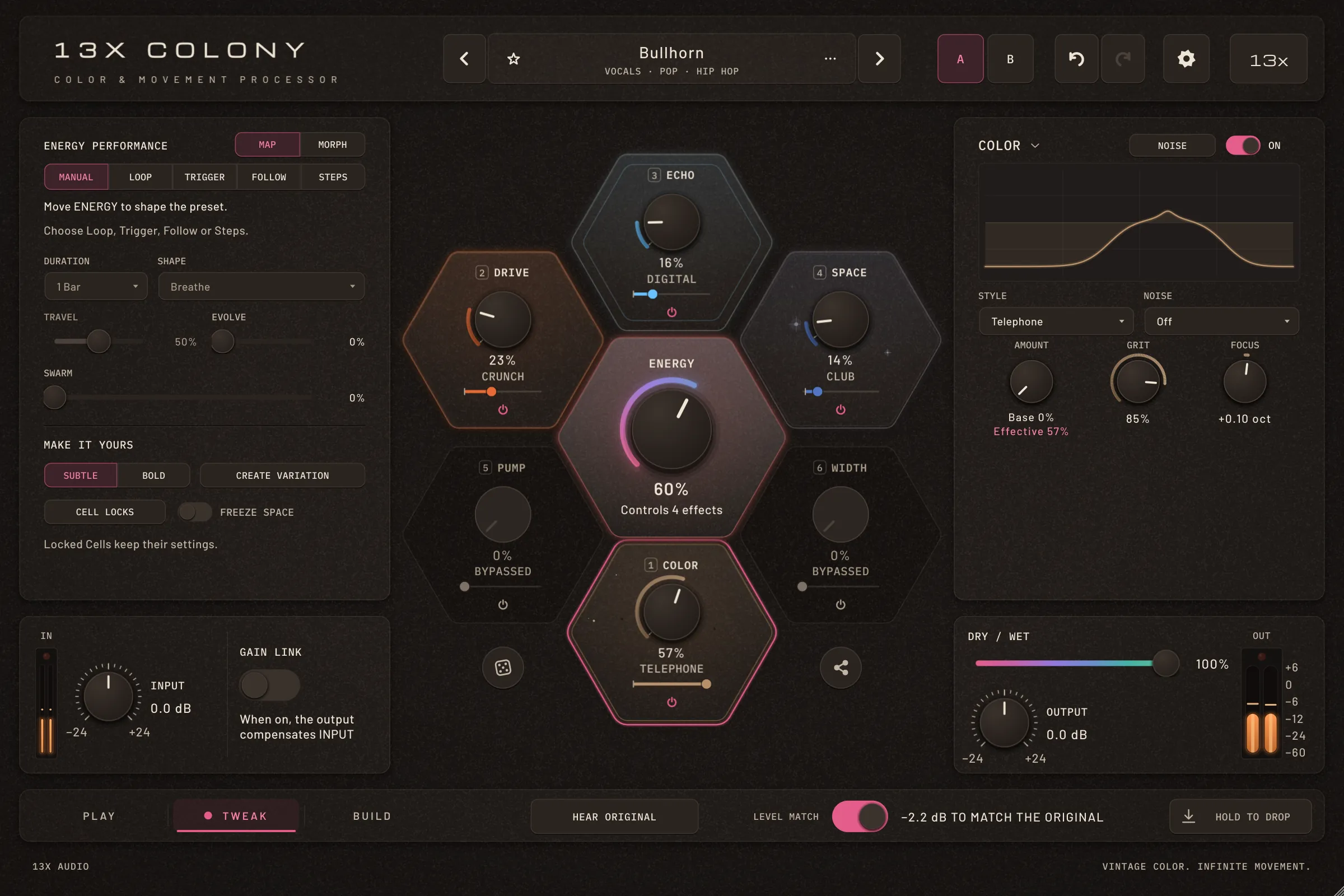
How to
Try a new type
- Select a Cell and step through its type line, with a click or the mouse wheel.
- The knobs rename themselves for the type — Fold's SYMMETRY, Vowel's VOWEL, Flanger's DELAY — with the type's own units.
Tip: Settings › Audio Quality sets 1×, 2×, 4× or 8×; 8× has the same latency as 4×.
ENERGY
ENERGY that follows your track.
Follow, a new ENERGY source: the level of the input, or of the sidechain, moves ENERGY. Loud parts push the Cells, quiet parts let them rest — with the transport running or not, in the standalone app too.
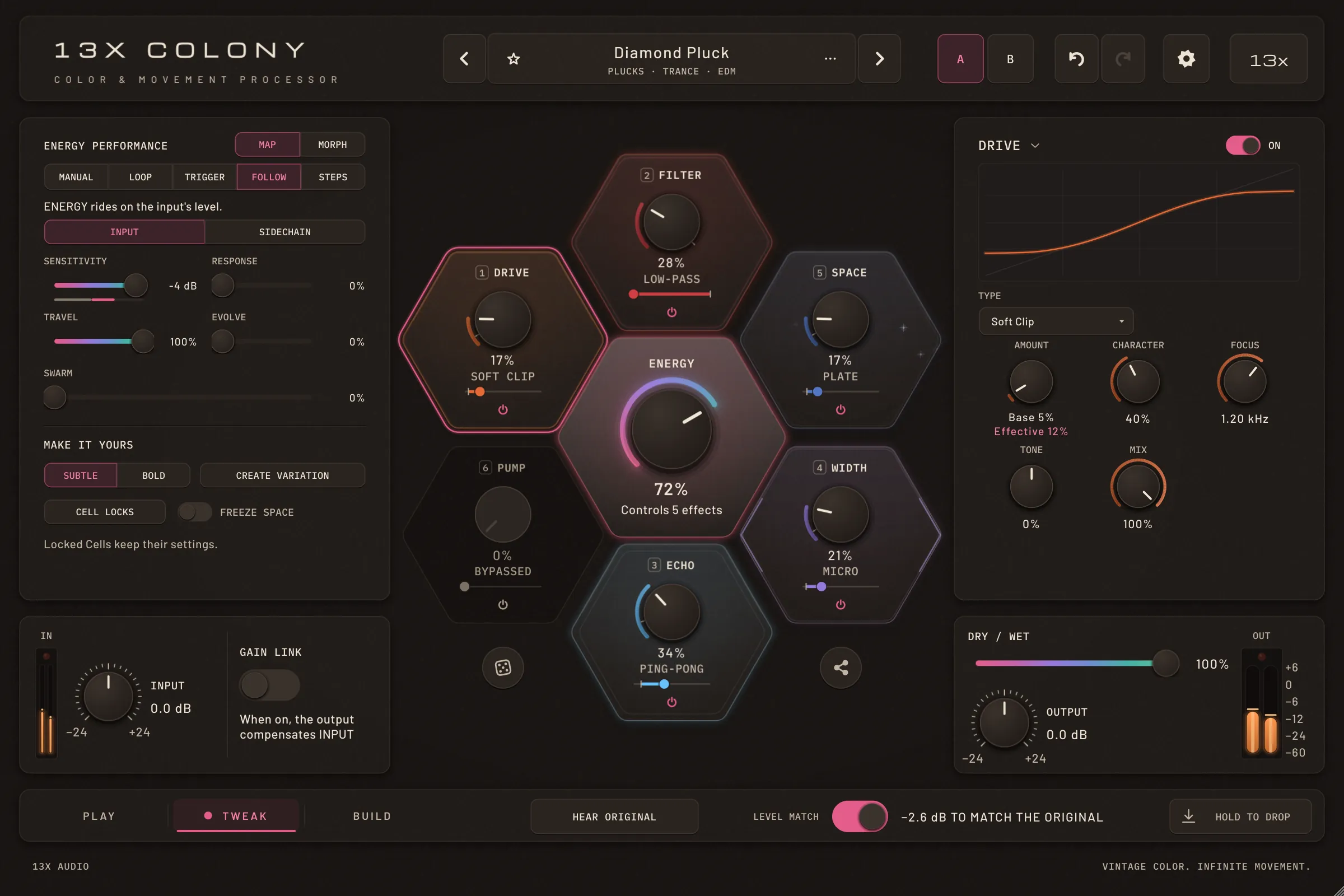
How to
Let the level play ENERGY
- In TWEAK, set ENERGY Performance to FOLLOW.
- Choose the Source: INPUT, or SIDECHAIN for another track routed in.
- Sensitivity sets the level at which ENERGY is at the top; Response goes from every hit (0 %) to riding the phrase (100 %).
- Travel sets how far the level moves ENERGY from the knob.
ENERGY
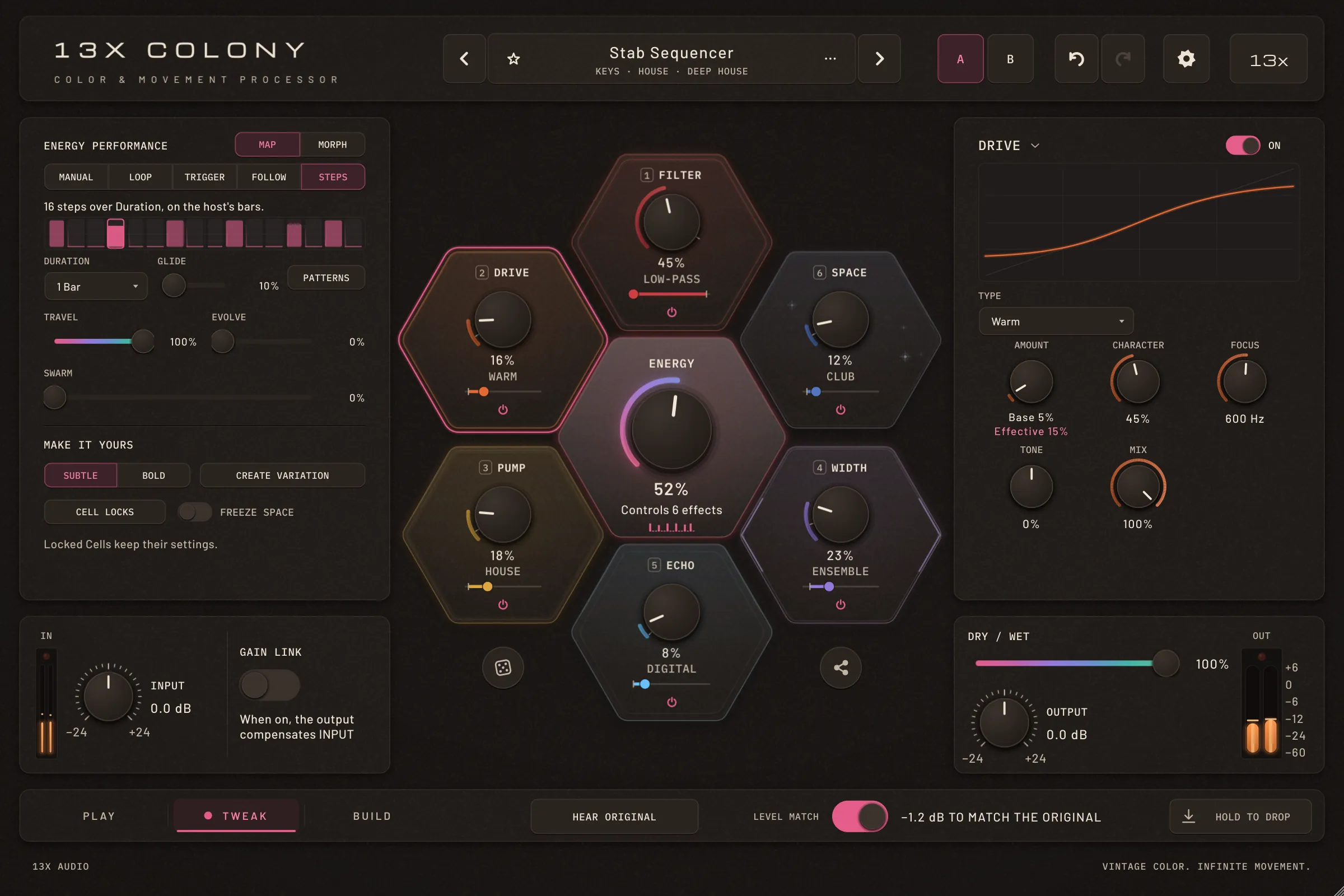
Sixteen steps on the host's bars.
Steps, the fifth source: a 16-step sequence over 1 beat to 16 bars, in your host's time signature. Each edge is smoothed over 30 ms; Glide slides between steps, and step 1 always lands hard on the bar line. Loop has new shapes as well: Build, Square and Random.
How to
Write a sequence
- Set ENERGY Performance to STEPS and choose a Duration.
- Click a step to set its height, drag to paint across steps, double-click to set one to 0.
- PATTERNS fills all sixteen: Stairs, Build, Pulse, Offbeat, Swell or Clear.
Tip: In PLAY, the ENERGY hexagon shows the sixteen heights as small bars.
ENERGY
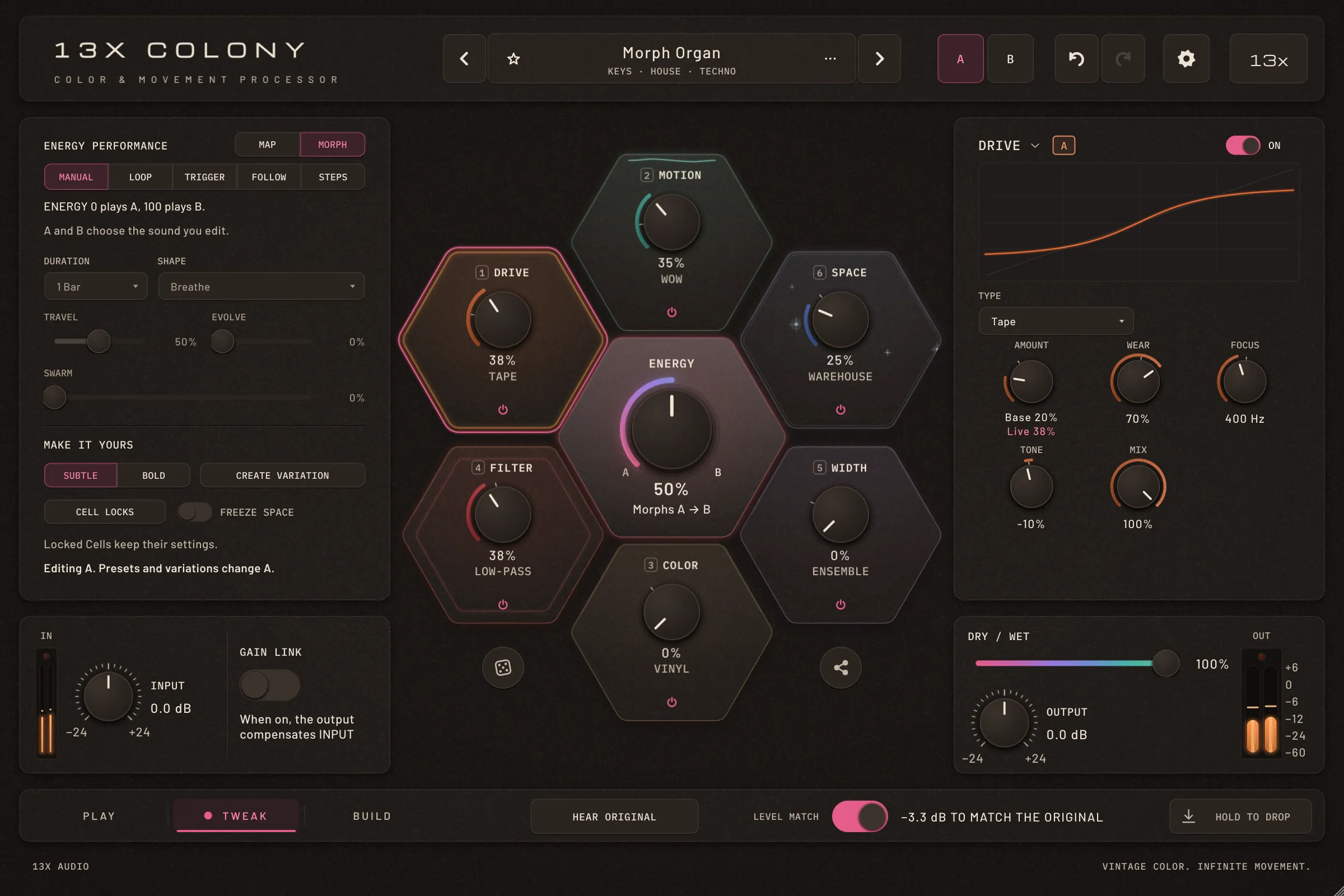
MORPH: from one sound to another.
In MORPH, ENERGY 0 plays sound A and ENERGY 100 plays sound B. Knobs glide, frequencies logarithmically; types, the chain and the places switch at halfway with a short dry moment instead of a click. A Cell that is on in only one sound fades in with ENERGY.
How to
Build a morph
- Make sound A, then press B in the header and make sound B (the first click copies A).
- In TWEAK, switch MAP | MORPH to MORPH.
- Turn ENERGY — or let Loop, Steps or Follow move it — and the sound travels from A to B.
Tip: Morph Organ and Glass to Steel in the 2.0 bank are MORPH presets: loading them switches to MORPH.
Performance
HOLD TO DROP and SWARM.
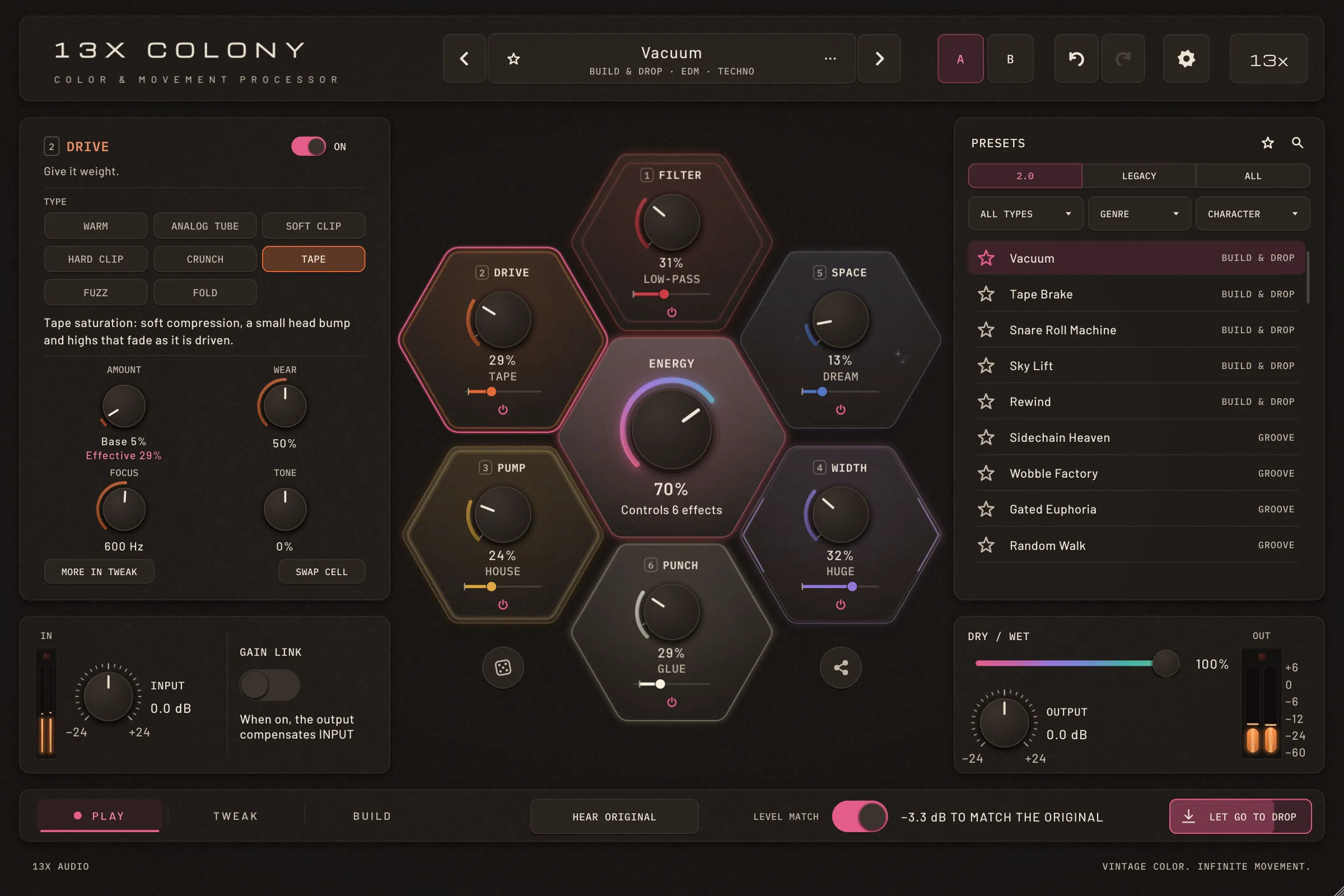
HOLD TO DROP builds a high-pass and a noise riser while you hold it, over 1, 2 or 4 bars; let go and ENERGY slams to 100 % and falls back over a bar. SWARM lets the rhythmic Cell — PUMP, MOTION or GLITCH — push the ENERGY of all the others, so reverb and width breathe with the groove.
How to
Play a drop
- Hold HOLD TO DROP in the bottom bar until it is full, then let go on the one.
- Its menu sets the build (1, 2 or 4 bars), the riser (Off, Soft, Normal, Loud) and MIDI learn.
- For SWARM, raise SWARM in TWEAK's ENERGY Performance.
Tip: Unused, DROP changes nothing. It sits after Level Match and OUTPUT and before Safe Output, so the limiter catches the riser.
Modulation
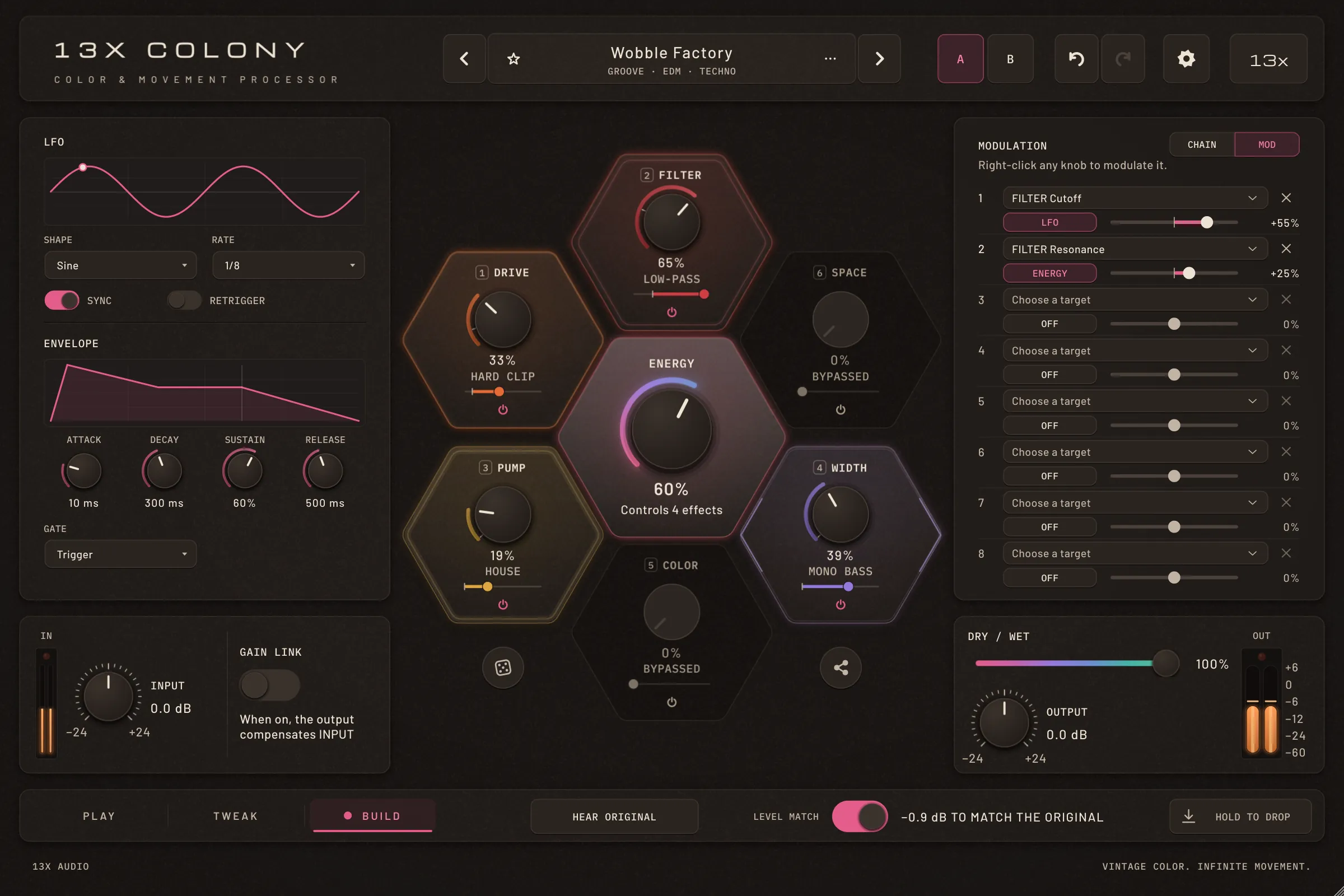
ENERGY, an LFO or an envelope on almost any knob.
Eight routings, each with a source, a target and a depth from −100 to +100 %. The LFO has seven shapes, free or synced, with retrigger; the Envelope is a full ADSR, gated by TRIGGER, a MIDI note or DROP. Every continuous Cell control and DRY/WET can be a target.
How to
Modulate a knob
- Right-click a knob and choose Modulate with ENERGY, with LFO or with Envelope.
- The knob shows the range as an arc; the routing starts at +50 % in the first free slot.
- In BUILD, switch CHAIN | MOD to MOD to set the depths, the LFO and the Envelope.
Tip: Double-click a depth to set it to 0. Remove modulation on the knob's menu clears its routings.
Presets
54 new presets, each with its own trick.
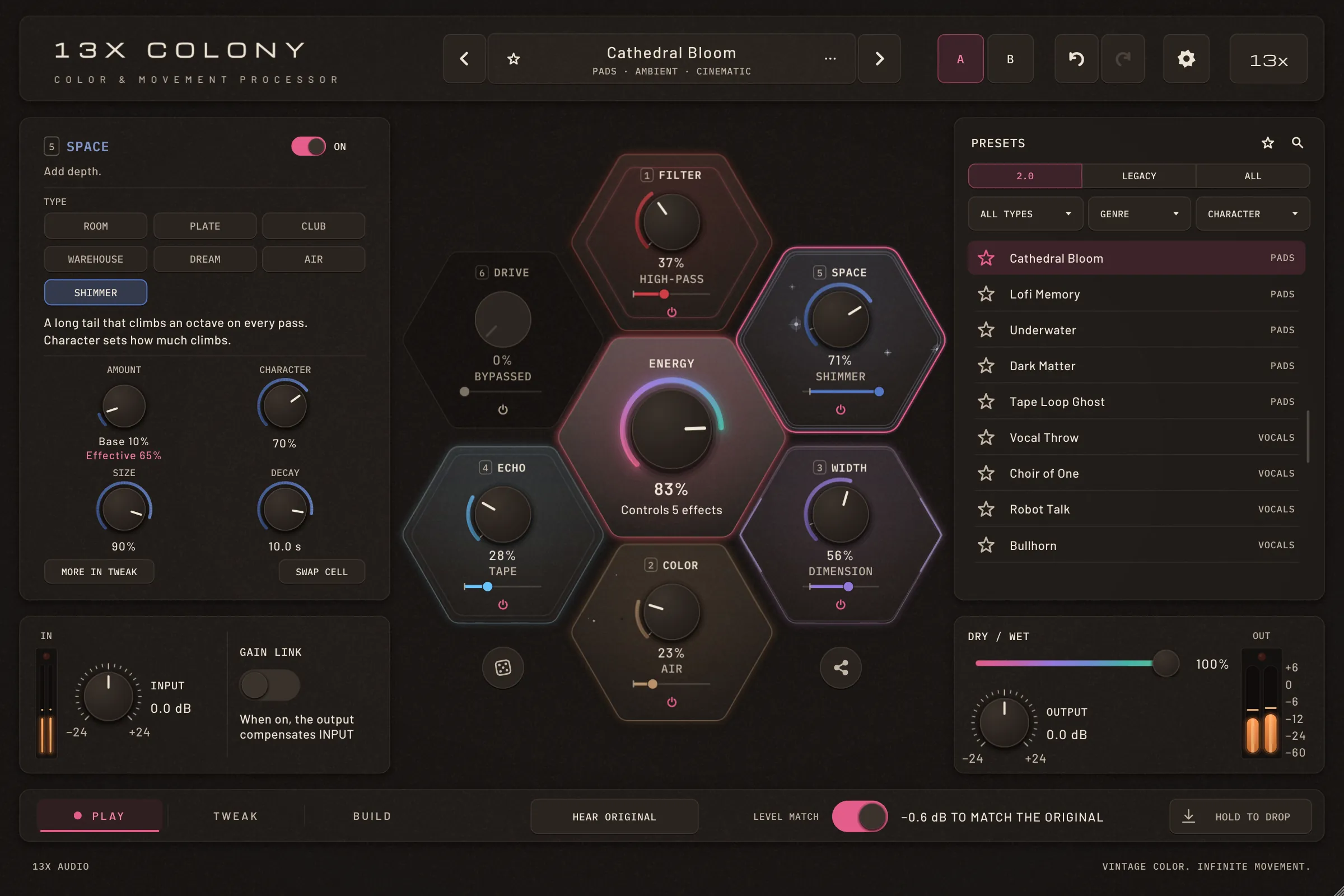
The 2.0 bank starts over: Build & Drop, Groove, Keys, Plucks, Leads, Pads, Vocals, Bass, Drums, FX and Full Mix. Every preset tells a story from ENERGY 0 to 100 and has a trick no other preset repeats. All 111 earlier presets stay, unchanged, under LEGACY.
How to
Find them
- Open PRESETS and choose 2.0, LEGACY or ALL under the title.
- Filter by type, genre and character, as before; favourites and packs keep working.
And
The dice, Colony Codes and the rest.
The dice under the honeycomb rolls a whole new Colony and keeps the Cells you lock. Colony Codes copy a sound as one line of text that any COLONY 2 can paste. MIDI learn is on by default. And there's a new warm, dark look with Cell animations, tooltips on every control and a UI from 90 to 200 %.
How to
Share a sound
- Press the share button right under the honeycomb and choose Copy Colony Code.
- Paste the text anywhere; in another COLONY, Paste Colony Code loads it as one undo step.
Tip: Text around the code doesn't matter: copy the whole message and paste it.
Updating
From 1.x to 2.0.
- Install 2.0 over 1.x: replace the old files with the new ones. Projects open as they were.
- Your user presets stay where they are, and all 111 earlier factory presets are under LEGACY in the browser, unchanged.
- New formats: CLAP on macOS, Windows and Linux, LV2 on Linux, next to VST3, AU and the standalone app.
- Free, like 1.x: no account, no license key.
Everything
The complete list.
Cells
- GLITCH, ECHO, PUNCH, PITCH and FILTER
- Any Cell in any of the six places (Swap cell, Trade places with)
- DRIVE Tape, Fuzz, Fold · 8× oversampling
- COLOR Telephone, Vowel, Comb
- MOTION Phaser, Flanger, Ring
- WIDTH Haas, Dimension, Mono Bass
- SPACE Shimmer
ENERGY
- Follow: input or sidechain level
- Steps: 16 steps on the host's bars, Glide, patterns
- Loop shapes Build, Square, Random · Duration up to 16 bars
- MAP | MORPH
- SWARM
- HOLD TO DROP with build length and riser
Modulation
- Eight routings: ENERGY, LFO, Envelope
- LFO: seven shapes, sync, retrigger
- Envelope: ADSR, gate TRIGGER, MIDI note or DROP
- Range arcs on every modulated knob
- BUILD › MOD page
Presets and the rest
- 54 new presets in the 2.0 bank, MORPH presets
- LEGACY bank and the 2.0 | LEGACY | ALL switch
- The dice and Colony Codes
- MIDI learn on by default
- CLAP; LV2 on Linux
- New look, Cell animations, tooltips, UI 90–200 %
Free, like everything we make.
No account, no license key. macOS, Windows and Linux.